Sky / Comcast • 2026
Designing faster workflows for content managers
- Role
- UX Designer
- Teammates
- 2 PMS
1 Lead Designer - Duration
- Feb - Apr 2026
- Responsibilities
- UX Design
User Research
Stakeholder Management
Overview
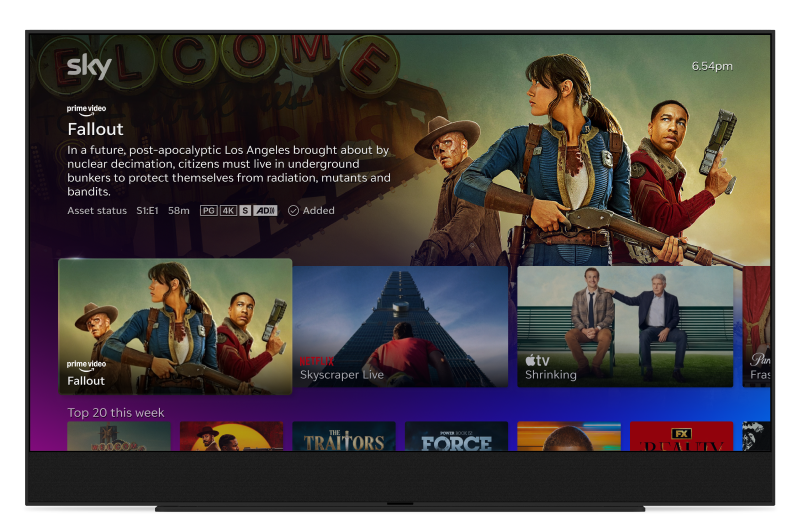
Our User:
Content managers maintain the
entertainment displayed on home pages
The tool:
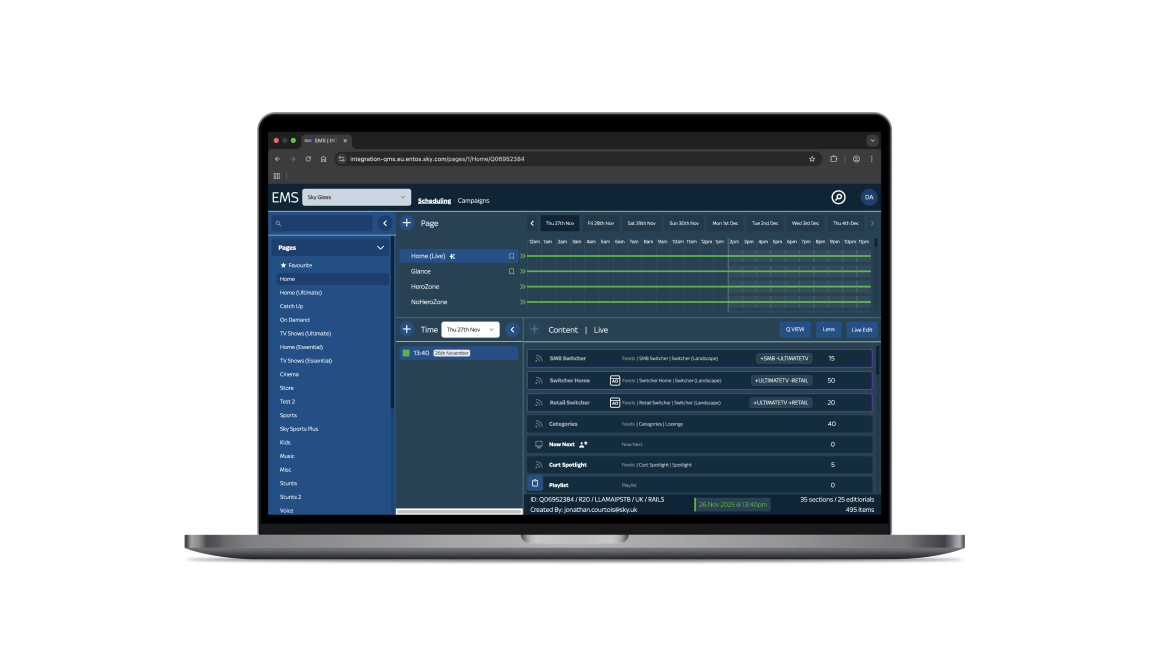
Experience Management System (EMS) is the B2B tool content managers use
The problem:
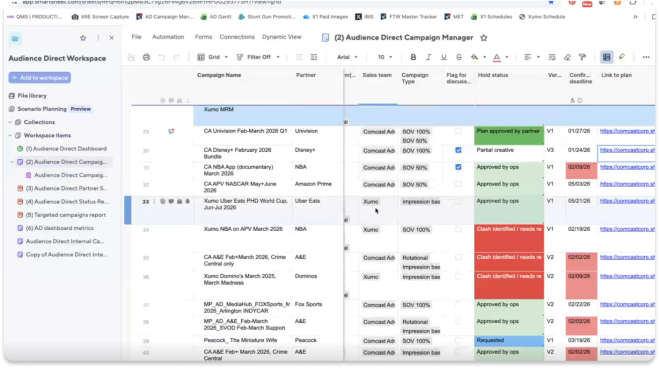
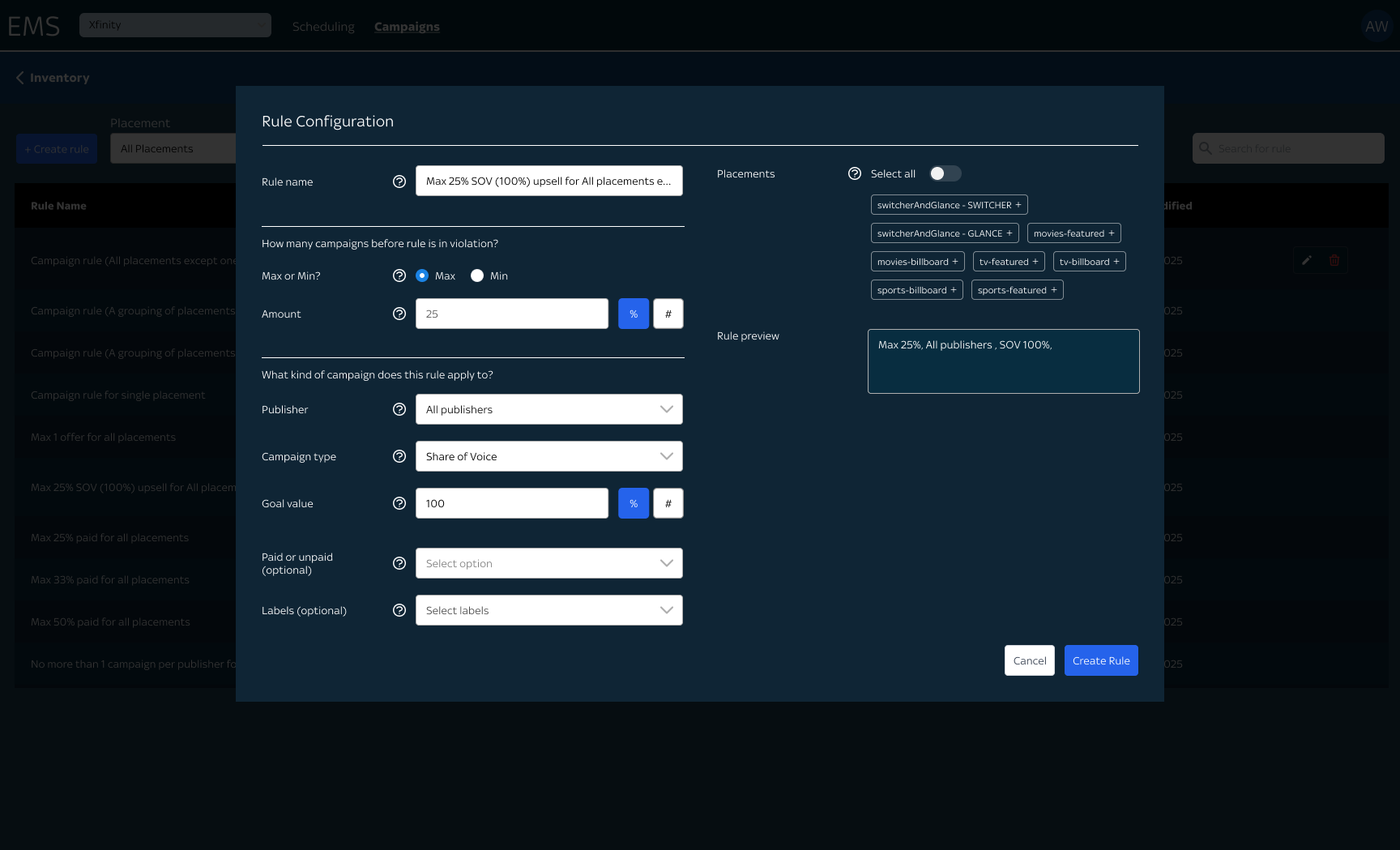
Content managers manually work through complicated spreadsheets to manage rules
The inefficiencies cost time, effort and consistency across workspaces
Hypothesis:
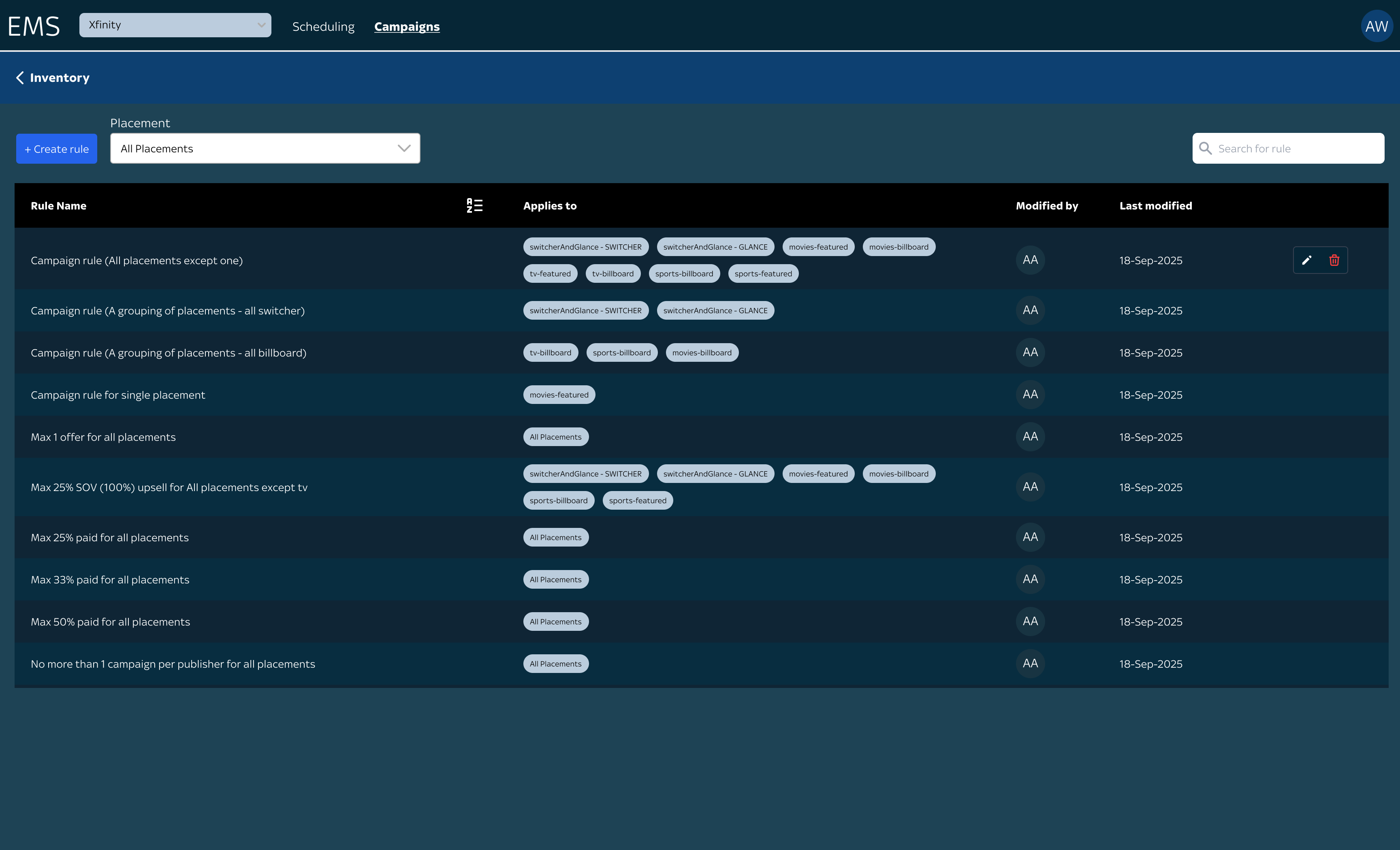
Integrating the workflow into EMS will make managing rules more accurate, faster and simpler
Research
I know what I don’t know...
I kicked off this project knowing nothing about Rules Management. I hardly even knew the tool.
Dissecting the brief with my Lead designer helped me uncover the questions we needed answered before exploring solutions.
Conducting interviews with users and stakeholders gave me clarity on their processes, pain points and needs.
PRODUCT
USER NEED
PROBLEM
Conflict Detection
USER NEEDA way to see scheduling conflicts at a glance
PROBLEMIt’s hard to see, coordinate with other teams and requires constant manual updates
Rules Access
USER NEEDA route to view rules
PROBLEMThere’s no dedicated path to view or manage rules
Management Page
USER NEEDA place to manage rules
PROBLEMThey are currently managed across cluttered spreadsheets
Rule Configuration
USER NEEDCreate/edit rules across teams efficiently
PROBLEMRule changes are sometimes missed, resulting in mistakes.
Design
- Conflict Detection
Although the designs were explored in a previous project, I validated it with users to ensure it met their needs.
All participants immediately identified rule conflicts and found the design aligned with their expectations.

- Rules Access
I provided my Lead designer with multiple options to place the entry point.
His experience with the tool and design patterns helped me eliminate and
narrow down to one.

- Rules Management Page
With different ways to sort, filter and organise rules, I was stuck between two designs.
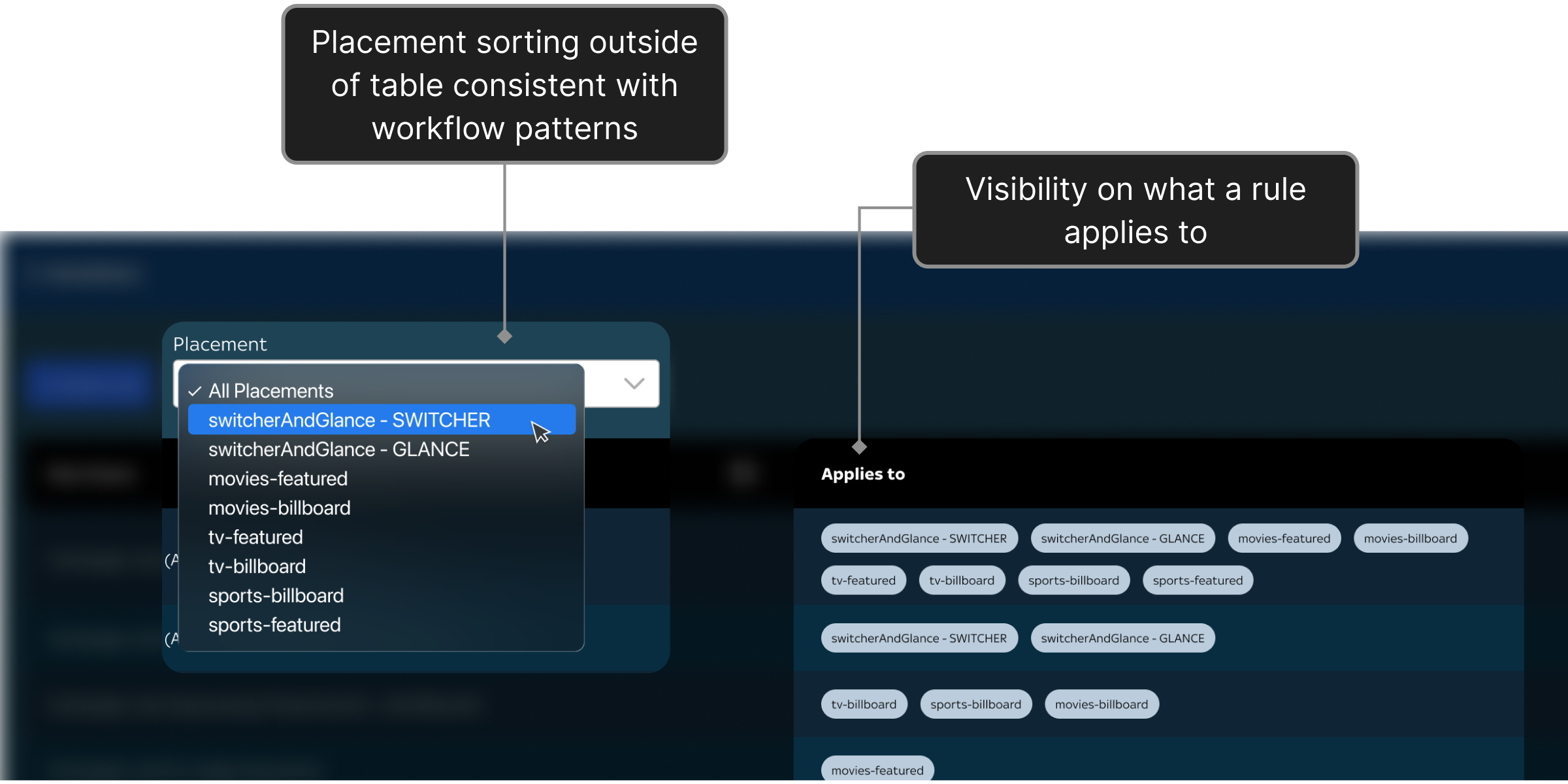
I tested both and found that users prefer design B because they needed visibility on what placement a rule applies to.
Also, B is more consistent with how campaigns are viewed; by placement
- Configuration Modal
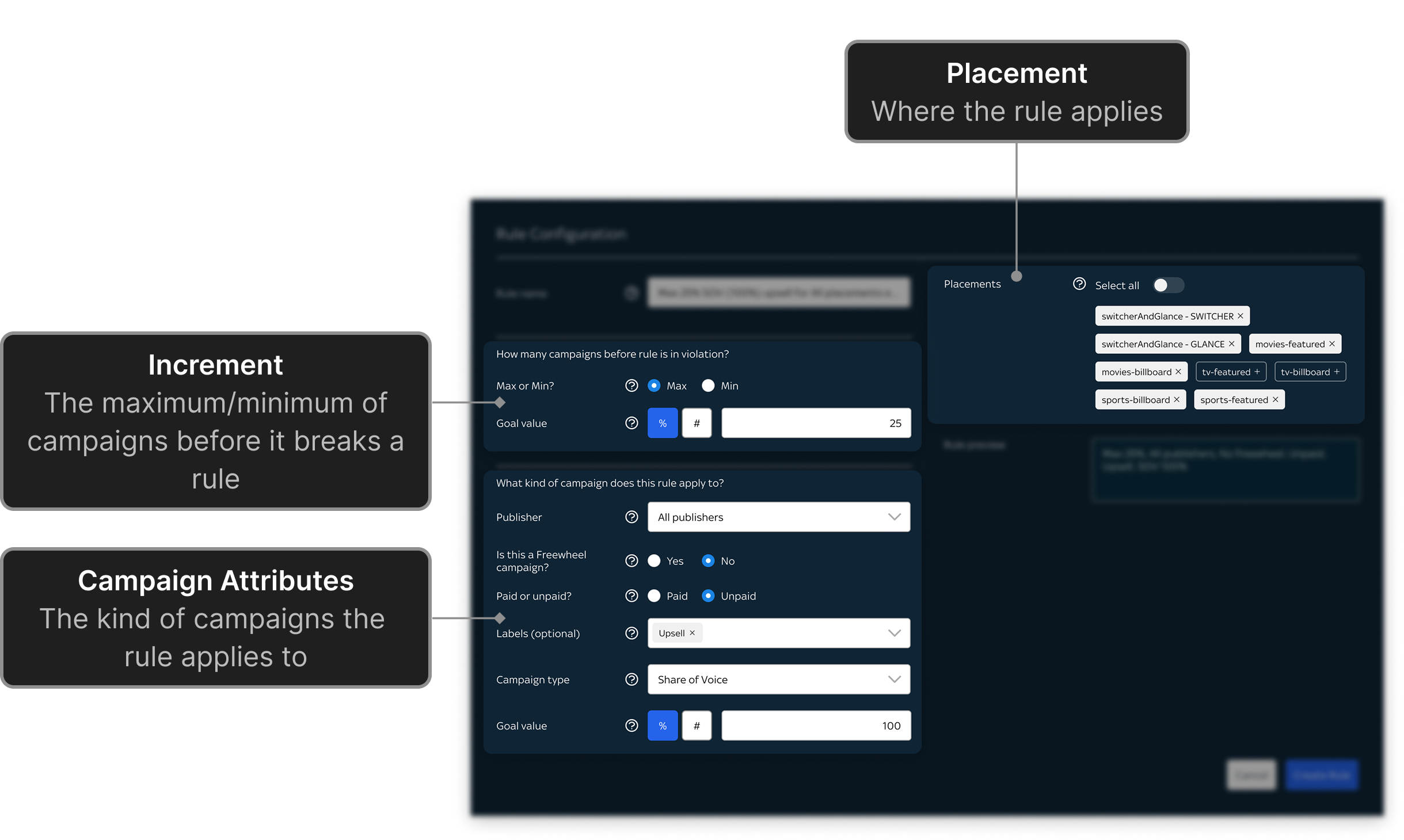
Designing the flow was challenging due to the complexity of the underlying rule model and the risk of over-engineering.
By regularly validating concepts with users, we prioritised the most common workflows over edge cases.
This allowed us to create a simpler, more scalable experience while working within design system constraints.
Summary
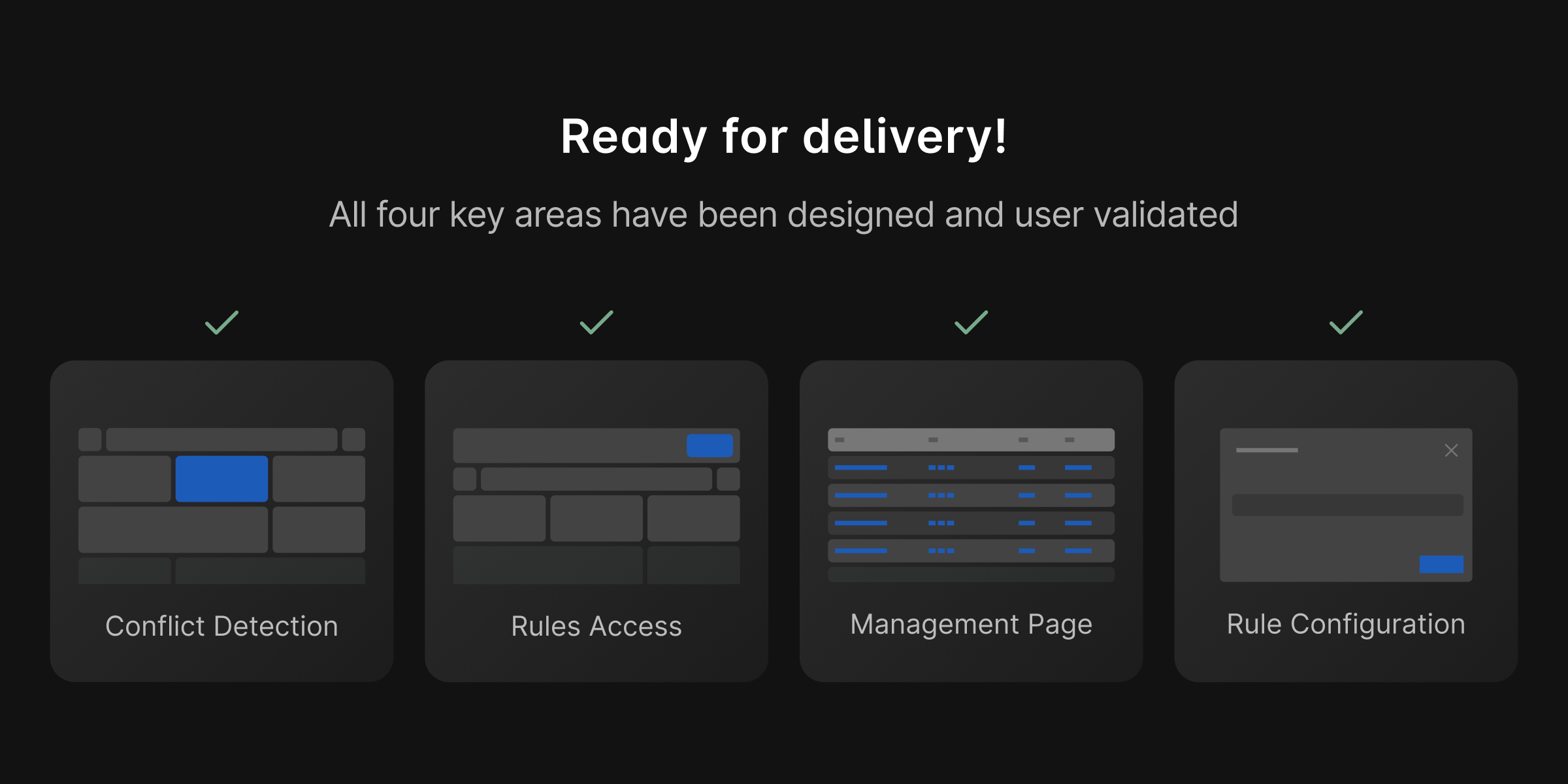
We successfully met the product requirements of integrating rules management into EMS.
But while preparing for dev handoff, the product road map changed, leading to new requirements.
And I had reached the end of my rotation with the team. So I handed over the project back to my Lead.
Reflections
What I learned
Balancing user needs and design limitations
Working within this environment taught me how to effectively design within the constraints of an established and limited system.
Stay in a constant feedback to iteration cycle
Constantly sharing ideas for feedback helped me maintain alignment and a steady pace of progress.